
The short version
- Microsoft 365 licence reconciliation compares purchased, assigned, supplier-billed and invoiced licences, so customers are billed accurately and the MSP doesn't absorb costs it should pass through.
- Work across four systems: the Microsoft 365 tenant, your CSP or distributor, your PSA and your accounting system.
- Under NCE, an unassigned licence can still be a committed, billable subscription. Reductions are generally limited to a seven-day window after a purchase, licence addition or renewal.
- Treat every difference as an exception to investigate, not an instruction to change an invoice, and give the process one accountable owner.
- Reconcile monthly, check significant changes as they happen, review before renewals and automate the collection and matching, keeping human approval for changes.
Are you confident every Microsoft 365 licence is being billed correctly?
For most Managed Service Providers (MSPs), Microsoft 365 is one of the largest recurring software services they manage on behalf of customers.
It's also one of the easiest places for revenue leakage and unnecessary costs to develop.
Think about what happens during a typical month.
- New starters
A customer recruits five employees. Your service desk provisions their Microsoft 365 accounts and assigns the required licences.
Licences assignedBilling updated? - Leavers
Another customer has three employees leave. Their accounts are disabled, but nobody reviews whether the licences are still required.
Accounts disabledLicences still needed? - Upgrades
A third customer upgrades several users from Business Standard to Business Premium.
Users upgradedNew price billed?
Your engineers make the changes, everything works, and the tickets are closed.
But were the licence changes correctly reflected in your billing system?
- Were the additional licences charged to the customer?
- Were the unused licences removed where contractually permitted?
- Were the supplier charges reconciled?
For many MSPs, the answer isn't always clear.
The problem is that the Microsoft 365 environment, the distributor, the PSA and the accounting system don't necessarily maintain the same information.
And unless someone is responsible for keeping those systems aligned, discrepancies can accumulate month after month.
Microsoft 365 licence reconciliation isn't simply an administrative process. It's an essential part of protecting MSP margins, preventing revenue leakage and delivering accurate customer billing.
In this guide, we'll explain how to reconcile Microsoft 365 licensing for MSP customers, the common mistakes to avoid and how to automate the process as your business grows.
What is Microsoft 365 licence reconciliation for MSPs?
Microsoft 365 licence reconciliation is the process of comparing the licences a customer has purchased, the licences assigned in their Microsoft 365 tenant, the subscriptions billed by your supplier and the amounts invoiced to the customer.
PurchasedLicences the customer has bought
AssignedLicences in use in the tenant
Supplier billedSubscriptions your CSP or distributor charges
InvoicedAmounts billed to the customer
Reconciled means all four agree, or every difference has a documented reason.
The goal is to ensure that:
- Customers are billed accurately for the licences and services they've purchased
- The MSP isn't absorbing licence costs that should be passed through
- Unassigned or unnecessary licences are identified
- Changes in subscription quantities are correctly recorded
- Supplier charges match the expected contractual commitments
- Microsoft 365 licensing remains commercially aligned with customer requirements
Effective reconciliation involves more than checking the number of active users.
A Microsoft 365 licence that isn't assigned to a user may still be a valid, billable subscription commitment.
This is particularly important under Microsoft's New Commerce Experience (NCE), where licence quantities, commitment terms and cancellation windows affect when subscription costs can actually be reduced.
Why Microsoft 365 licence reconciliation matters for MSP profitability
Consider an MSP managing Microsoft 365 subscriptions for 50 customers.
Each customer has an average of 75 licences, giving the MSP approximately 3,750 licences to manage.
Now assume that, across this customer base, 2% of licences are being paid for by the MSP but aren't being appropriately billed to customers.
That's 75 licences.
At an illustrative supplier cost of $30 per licence per month, this creates $2,250 in monthly costs that may be unnecessarily absorbed by the MSP.
3,750licences: 50 customers with 75 each
2%paid for but not billed: 75 licences
$30illustrative supplier cost a month
$2,250a month absorbed by the MSP
Microsoft 365 licensing leakage calculator
Estimate the financial impact of supplier-paid licences not recovered through customer billing.
Enter a number from 0 to 5,000.
Enter a number from 0 to 10,000.
$
Enter an amount from 0 to 1,000.
Potential monthly cost
$2,250
75 licences a month not recovered, at $30 each
Potential annual cost
$27,000 If the discrepancies stay unresolved for 12 monthsIllustrative model, not an industry leakage benchmark or current Microsoft price quote. Assumes discrepancies remain unresolved for 12 months; actual recoverable amounts depend on agreements, billing timing and subscription terms.
That's potentially tens of thousands of dollars annually from just one part of the MSP's recurring services portfolio.
And this example doesn't include other billing discrepancies, such as incorrect licence types, missed upgrades, supplier price changes or expired customer discounts.
For MSPs operating on relatively narrow net profit margins, these errors can have a disproportionate impact on profitability.
The four systems every MSP needs to reconcile
Before implementing a reconciliation process, it's important to understand where the information comes from.
Microsoft 365 tenantPurchased and assigned licences
CSP / distributorCommitments and supplier charges
PSA / agreementsCustomer quantities and sell prices
Accounting systemInvoices and revenue recorded
Reconciliation and exception review
Accurate billing and protected marginsValidate the differences before approving customer or supplier changes
Each system provides a different part of the picture.
- The Microsoft 365 tenant shows licensing availability and assignment.
- Your Cloud Solution Provider (CSP) partner or distributor shows what subscriptions you've purchased and what you're paying.
- Your PSA shows what you've agreed to charge the customer.
- Your accounting system confirms what's actually been invoiced.
Reconciliation ensures that all four remain aligned.
How to reconcile Microsoft 365 licensing: step by step
Eight steps take you from the tenant export to an automated, approved reconciliation. Jump to any step:
- Export the tenant's licence information
- Export CSP or distributor billing data
- Compare supplier quantities with the PSA
- Review unassigned and unused licences
- Check the NCE rules before changes
- Check customer billing against supplier charges
- Investigate and resolve exceptions
- Automate the reconciliation
Step 1
Export the customer's Microsoft 365 licence information
Start by understanding the customer's current licensing position.
Within the Microsoft 365 admin center, review the billing and licence information available for the customer tenant.
You'll want to capture:
- Microsoft 365 product and licence type
- Total licence quantities available in the tenant
- Number of licences assigned
- Number of unassigned licences
- Relevant subscription and renewal details, where available
- Users with assigned licences
For larger MSPs, this process can be automated using Microsoft Graph.
For example, the Microsoft Graph subscribedSkus endpoint provides information about acquired subscriptions, including SKU identifiers and licensing quantities.
Microsoft Graph request and a trimmed responseIllustrative
GET https://graph.microsoft.com/v1.0/subscribedSkus
{
"value": [
{
"skuPartNumber": "SPB",
"capabilityStatus": "Enabled",
"consumedUnits": 92,
"prepaidUnits": { "enabled": 100, "suspended": 0, "warning": 0 }
}
]
}
In this response, SPB is Microsoft 365 Business Premium, prepaidUnits.enabled is the active purchased quantity and consumedUnits is the number of licences assigned.
It's important to distinguish between the total number of acquired licences and the number actually assigned.
A customer might have 100 Microsoft 365 Business Premium licences but only 92 assigned.
92 assigned8 unassigned
That doesn't automatically mean eight licences can be cancelled.
The customer may have committed to those licences until the next eligible reduction window.
Best practice: Capture both purchased and assigned quantities, but treat the CSP subscription commitment as the starting point for financial reconciliation.
Also remember that some tenants have subscriptions purchased through multiple channels. Tenant licence totals do not necessarily identify which reseller owns each commercial commitment.
Step 2
Export subscription and billing data from your CSP or distributor
The next step is to obtain the corresponding commercial records.
Depending on your purchasing model, this information may come from Microsoft Partner Center or your indirect CSP distributor.
For every relevant subscription, capture:
| Field | Why it matters |
|---|---|
| Customer or tenant ID | Matches the correct customer |
| Product SKU | Identifies the Microsoft 365 licence |
| Subscription ID | Distinguishes individual subscriptions |
| Purchased quantity | Establishes the quantity under commitment |
| Unit cost | Determines supplier cost |
| Term | Identifies monthly or annual commitments |
| Billing frequency | Determines when the supplier charges you |
| Renewal date | Identifies when licence reductions may be possible |
| Changes and credits | Explains prorated or adjusted charges |
Together, these fields are the backbone of Microsoft CSP reconciliation.
If you purchase directly through Microsoft Partner Center, the new commerce invoice reconciliation information provides the charges, quantities and adjustments required to validate supplier billing. Microsoft distinguishes monthly invoice reconciliation data from daily rated usage, which is primarily relevant to consumption-based products such as Azure rather than fixed-fee Microsoft 365 per-user licences.
If you purchase through an indirect distributor, use its corresponding subscription, transaction and billing exports.
Best practice: Use unique tenant, subscription and SKU identifiers wherever possible rather than relying on customer names or product descriptions alone.
This reduces matching errors when customers have similar names or multiple subscriptions for the same product.
Step 3
Compare supplier quantities against PSA billing agreements
This is where many MSPs uncover their first discrepancies.
Open your PSA and review the recurring agreement products associated with the customer.
For each Microsoft 365 licence type, compare:
- The quantity purchased through the CSP.
- The quantity recorded in the PSA agreement.
- The unit price being charged to the customer.
- The supplier's cost.
- Any approved discounts, prepaid charges, minimum quantities or contractual exceptions.
For example:
| Microsoft 365 product | CSP quantity | PSA quantity | Difference |
|---|---|---|---|
| Business Premium | 100 | 95 | -5 |
| Business Standard | 30 | 30 | 0 |
| Exchange Online Plan 1 | 15 | 18 | +3 |
| Teams Phone Standard | 20 | 18 | -2 |
This example reveals several discrepancies requiring investigation.
- The MSP is purchasing five more Business Premium licences than it records for customer billing.
- The PSA has three more Exchange Online licences than the current CSP quantity.
- Two Teams Phone licences may also be missing from the billing agreement.
However, these differences don't automatically prove that the customer has been overcharged or undercharged.
They could reflect changes made during the billing period, a prepaid agreement, different purchasing channels or approved exceptions.
Best practice: Treat every discrepancy as an exception to investigate, not an instruction to automatically adjust invoices.
Step 4
Review unassigned and unused licences
Once you've reconciled purchased quantities against billing, review licence utilisation.
This is where you may identify opportunities to reduce unnecessary customer costs.
Look for licences assigned to employees who have left, duplicate or overlapping licensing, service accounts that may not require a particular licence, and subscriptions that are no longer needed.
An important distinction is that unassigned licences and unused licences aren't necessarily the same thing.
AssignedRarely used
Assigned, but barely used
A licence may be assigned to an active employee who rarely uses the associated application.
UnassignedStill needed
Unassigned, but still needed
Conversely, an unassigned licence may be deliberately retained for an upcoming employee or be part of an ongoing contractual commitment.
Usage analytics can help identify potential optimisation opportunities, but changes should be reviewed with the customer and relevant technical stakeholders.
What about employees who have left?
Employee offboarding is a common source of licensing inefficiency.
An employee leaves, their account is disabled, but their Microsoft 365 licence remains assigned.
- Employee leaves
- Account disabled
- Licence still assigned
- Retention, mailbox, OneDrive and legal hold checked
- Licence reassigned or removed
The correct process is to verify retention, mailbox, OneDrive, legal hold and other requirements before making changes that could affect data availability or access.
After any necessary data-preservation actions, the licence can be reassigned or removed where appropriate.
Whether the MSP can reduce its purchased licence commitment is a separate commercial question. Step 5 covers the NCE rules.
Step 5
Understand the Microsoft NCE rules before making changes
This is one of the most important steps in the reconciliation process.
Microsoft's New Commerce Experience introduced subscription commitment rules that directly affect how MSPs should manage licence quantities.
Under the standard NCE rules for licence-based subscriptions, partners can generally increase licence quantities at any time. Reductions are restricted to a seven-day window after the relevant purchase, licence addition or subscription renewal, subject to the applicable terms and exceptions.
Once that window closes, the partner generally remains financially committed until the next eligible reduction opportunity.
This can create a situation where a customer has 100 purchased licences but only 90 assigned.
The customer may no longer require those 10 additional licences, but the MSP cannot necessarily reduce the supplier commitment immediately.
NCE reduction window check
Pre-filled with the 100 purchased and 90 assigned example. Move the days slider to see how timing changes what you can do with spare licences under NCE billing.
Enter a number from 0 to 100,000.
Enter a number from 0 to 100,000.
$
Enter an amount from 0 to 1,000.
Seven-day window closed
Day 12: 10 unassigned licences
- Can the spare licences be unassigned?Yes, technically, once retention, mailbox and data checks are done. Unassigning alone does not reduce the commitment.
- Can the purchased quantity be reduced?Not now. You generally remain committed until the next eligible reduction opportunity, so check the renewal date.
Unassigned licence exposure $300 a month 10 licences at $30, committed for now
A simplified steer based on the standard NCE rules described above, counted in whole days. Confirm each subscription's terms, exceptions and dates in Partner Center or with your distributor before you act.
It's important to distinguish three separate actions:
| Action | What it means | Financial impact |
|---|---|---|
| Unassign a licence | Removes the licence from a user | Does not automatically reduce the subscription commitment |
| Reduce subscription quantity | Decreases the number of purchased licences | Can reduce future charges when permitted |
| Disable renewal or cancel | Changes the future or current subscription lifecycle | Subject to the relevant NCE terms and cancellation windows |
For this reason, your Microsoft 365 reconciliation process must include subscription renewal dates, not just licence counts.
A customer request to remove a licence should trigger two separate checks: whether the licence can be technically unassigned, and whether the purchased subscription quantity can be commercially reduced.
Step 6
Check customer billing against supplier charges
Once quantities and subscriptions are reconciled, compare the financial values.
For each Microsoft 365 product, calculate the expected customer billing amount based on the applicable contract.
Then compare this against the amount actually invoiced.
For example:
Example: Monthly Microsoft 365 billing reconciliation
| Purchased licences | 100 |
|---|---|
| Agreed sell price per licence | $35 |
| Expected monthly customer billing | $3,500 |
| Actual monthly customer billing | $3,325 |
| Potential billing discrepancy | $175 |
If five licences have been omitted and they're contractually chargeable, the MSP could be missing $175 each month, or $2,100 annually.
Illustrative prices in dollars. Calculations exclude taxes, prorated charges, credits and other adjustments.
Also compare supplier costs against the pricing assumptions used in your PSA.
The customer may be billed the correct quantity, but your margin could still be deteriorating because supplier costs have changed.
This is why Microsoft 365 reconciliation should cover both revenue accuracy and gross margin.
Step 7
Investigate and resolve billing exceptions
Once you've identified discrepancies, create a process for resolving them.
Not every discrepancy will have the same cause or require the same corrective action.
| Exception | Likely cause | Recommended action |
|---|---|---|
| CSP quantity exceeds PSA quantity | New licences not reflected in billing | Validate agreement and correct approved billing |
| PSA quantity exceeds CSP quantity | Old agreement data, other purchasing channel or timing | Verify entitlements and invoice accuracy |
| Purchased licences exceed assigned licences | Unassigned capacity or old employee accounts | Investigate requirements and NCE reduction eligibility |
| Wrong licence SKU billed | Upgrade or downgrade not reflected in PSA | Correct the product mapping and applicable charges |
| Supplier cost exceeds forecast | Pricing change, promotion expiry or billing adjustment | Review margin and commercial pricing |
| Renewal approaching | Customer quantities haven't been reviewed | Confirm future licensing requirements |
| Unexpected prorated charges | Mid-cycle licence changes | Match transactions to their effective dates |
Assign each exception to a responsible person.
Routine billing corrections may be handled by Finance Administration, while licensing decisions should involve the appropriate technical team.
Customer-facing pricing or contract changes may require Account Manager or management approval.
The objective is to resolve discrepancies before the next invoice is issued wherever possible.
Step 8
Automate your Microsoft 365 licence reconciliation
For MSPs managing only a handful of customers, manual reconciliation may be manageable.
But when you're supporting hundreds of customers and thousands of licences, the process becomes increasingly time-consuming.
This is where automation can deliver meaningful value.
Rather than exporting spreadsheets every month and manually comparing quantities, MSPs can build automated reconciliation workflows that collect information from different systems, compare the records and identify exceptions.
For example, a workflow might:
- Retrieve customer subscription quantities from the CSP or distributor.
- Retrieve acquired and assigned licensing information from Microsoft Graph.
- Retrieve recurring billing agreement information from the PSA.
- Match customers and products using consistent identifiers.
- Compare quantities, unit prices, supplier costs and effective dates.
- Flag discrepancies for investigation.
- Generate an exception report or create a task for the Finance Administrator.
- Update billing records only after the required approval.
-
Collect licensing and billing data
-
Match and compare records
-
Identify exceptions
-
Investigate and approve
-
Correct billing and report results
What tools can automate Microsoft 365 reconciliation?
MSPs have several options, depending on their current technology stack.
Microsoft Power Automate
Power Automate can coordinate reconciliation workflows between supported systems, Microsoft Graph and other APIs through appropriate connectors.
For example, it could retrieve licence data, compare it against PSA records and generate an approval task when discrepancies are found.
Rewst
Rewst is designed for MSP automation and can help orchestrate workflows across service delivery platforms, Microsoft environments and other integrated systems.
It can be useful for MSPs looking to standardise reconciliation and exception management across multiple customers.
n8n
n8n offers a flexible automation platform for teams comfortable working with APIs and custom workflows.
It can be used to retrieve subscription information, process data, compare billing records and generate reports.
PSA and distributor integrations
Before building a custom solution, review what your existing PSA and distributor already support.
Some platforms offer billing synchronisation, subscription management or reconciliation functionality that can reduce the amount of custom development required.
The goal should be to use the simplest reliable process that meets your requirements.
Choosing a platform? Compare them in Rewst vs Pia vs n8n, or find more MSP billing automation and service desk use cases in 20 MSP automation ideas that deliver ROI.
A note on access and security
Automated reconciliation should use appropriately authorised access to customer environments.
- Least privilegeFor Microsoft Graph, use the minimum API permissions necessary. MSPs accessing customer tenants should also understand Microsoft's Granular Delegated Admin Privileges (GDAP) model, where applicable.
- Protected accessUse approved authentication methods, protect credentials, restrict access to customer billing data and retain an audit trail of any changes.
- Checks before changesAvoid creating automation that can automatically purchase, remove or cancel licences without suitable checks.
The Microsoft 365 licence reconciliation checklist for MSPs
A consistent monthly process can prevent many licensing discrepancies from becoming ongoing problems.
Monthly Microsoft 365 reconciliation checklist
Use it as your monthly Microsoft 365 licence audit. Nothing you tick is stored or sent anywhere.
Reconciliation progress0 of 16
1. Gather the data0/4
2. Reconcile quantities and costs0/4
3. Identify opportunities0/4
4. Resolve and report0/4
Free assessment
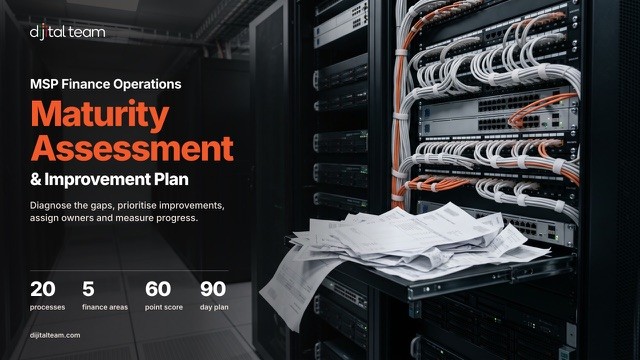
Licence reconciliation is one finance process. How mature are the rest?
Score 20 finance processes across billing, procurement, cash flow, reporting, controls and automation, then turn the gaps into a prioritised 90-day improvement plan.
- 20processes
- 5finance areas
- 60point score
- 90day plan
Who should own Microsoft 365 licence reconciliation in an MSP?
One of the biggest reasons licensing discrepancies remain unresolved is that nobody has clear responsibility for the process.
The Service Desk manages user accounts and licence assignments.
Procurement manages subscriptions and distributors.
Finance manages customer invoicing.
Account Managers manage commercial relationships.
But who ensures the information remains consistent across all four functions?
For many MSPs, this is an ideal responsibility for a dedicated Finance Administrator or Billing Specialist.
The Finance Administrator doesn't need to make technical licensing decisions.
Instead, they own the reconciliation process, identify discrepancies and coordinate corrective actions with the relevant teams.
| Responsibility | Suggested owner |
|---|---|
| Extract and reconcile subscription data | Finance Administrator |
| Investigate assigned licence discrepancies | Service DeskMicrosoft 365 Engineer |
| Confirm supplier quantities and costs | ProcurementFinance Admin |
| Validate billing agreements | Finance AdminAccount Manager |
| Approve customer commercial changes | Account ManagerFinance Manager |
| Apply approved invoice adjustments | Finance Admin |
| Review licensing profitability | Finance Manager |
| Confirm upcoming renewal requirements | Account ManagerCustomer Success |
The division of responsibilities depends on your MSP's size and structure.
The important thing is having a clearly accountable owner rather than relying on multiple departments to identify problems independently.
Deciding which finance role to hire? Compare a Finance Admin vs Bookkeeper for an MSP.
Five Microsoft 365 reconciliation mistakes MSPs should avoid
1. Only comparing assigned licences against customer billing
This is one of the biggest mistakes an MSP can make.
Under NCE, a customer may be financially committed to licences that aren't currently assigned.
If you automatically reduce the customer's invoice based on assigned quantities, you could end up absorbing supplier costs that you're still obligated to pay.
Always reconcile subscription commitments against the applicable customer agreement.
2. Ignoring NCE renewal dates
Unused annual-term licences can represent a cost that cannot immediately be eliminated.
If customer requirements aren't reviewed before renewal, the MSP may unintentionally retain unnecessary licence quantities for another term.
Create a proactive renewal review process, with customer licensing discussions starting sufficiently early to obtain approvals and make eligible changes on time.
3. Relying on manual spreadsheets without clear ownership
Spreadsheets can be useful for smaller environments.
However, as customer numbers increase, manual reconciliation becomes more difficult to maintain.
Without clear ownership and consistent processes, discrepancies may simply be carried forward month after month.
4. Assuming every difference is a billing error
A difference between tenant licences, supplier subscriptions and PSA quantities may be legitimate.
For example, a customer could have multiple subscriptions for the same SKU, a prepaid agreement or licences purchased through another channel.
Always validate the underlying commercial records before making corrections.
5. Reviewing licensing only when invoices are due
If you reconcile licences only during the monthly billing run, you may miss the opportunity to correct an issue within an NCE reduction window.
Use event-driven checks for significant subscription changes and renewals, supported by monthly financial reconciliation.
Five KPIs MSPs should track for Microsoft 365 licensing
The most mature MSPs don't simply reconcile licensing. They measure how effectively the process is operating.
| KPI | What it measures |
|---|---|
| Reconciliation completion rate | Percentage of customer environments reconciled for the period |
| Unbilled licence revenue | Value of validated licensing charges not invoiced |
| Licensing gross margin | Revenue less directly attributable licensing costs, divided by revenue |
| Unassigned licence exposure | Cost of unassigned licences, distinguishing reducible and committed subscriptions |
| Billing exception resolution time | Average time required to investigate and close licensing discrepancies |
These metrics provide visibility into both financial performance and operational maturity.
Importantly, avoid measuring success simply by the number of licences removed.
The objective is to ensure customers have the licensing they need, commitments are managed correctly and the MSP invoices accurately.
How often should an MSP reconcile Microsoft 365 licences?
For most MSPs, a combination of event-driven checks and monthly reconciliation works well.
- When changes occurCheck commercial impact of new users, licence purchases, upgrades and reductions
- WeeklyReview unresolved exceptions and approaching NCE deadlines
- MonthlyComplete full supplier, tenant and PSA billing reconciliation
- Before renewalValidate future quantities and commitments with customers
- QuarterlyReview licence utilisation, pricing and customer gross margins
The objective is to prevent the monthly billing process from becoming the first time a licensing discrepancy is discovered.
Microsoft 365 licence reconciliation is a profitability opportunity
It's easy to view Microsoft 365 licence reconciliation as another administrative task.
But for MSPs, it's much more than that.
Accurate licensing reconciliation helps ensure customers are billed for the services they purchase, unnecessary costs are identified and recurring revenue isn't lost through operational gaps.
It also improves customer experience.
Customers should be confident that their MSP understands their licensing requirements, manages their subscriptions responsibly and provides accurate, transparent invoices.
And as your MSP grows, the ability to manage licensing efficiently becomes increasingly important.
The challenge is that licensing reconciliation often falls between the responsibilities of service delivery, procurement and finance.
Without clear ownership, discrepancies can continue unnoticed.
The solution is to create a repeatable process, assign accountability and automate the activities that don't require human judgement.
Get those fundamentals right, and Microsoft 365 reconciliation becomes another way to improve margins, strengthen operational maturity and build a more profitable MSP.
Frequently asked questions
Microsoft 365 licence reconciliation is the process of comparing purchased subscriptions, assigned licences, supplier billing records and customer invoices to ensure quantities, costs and charges are accurate.
MSPs should compare licensing data from Microsoft 365, CSP or distributor records, PSA agreements and accounting systems. Any differences should be investigated against subscription commitments and customer contracts before billing adjustments are made.
Yes. MSPs can automate much of the process using Microsoft Graph, distributor APIs, PSA integrations and workflow automation platforms such as Power Automate, Rewst and n8n. Human review should remain in place for commercial exceptions and subscription changes.
Unassigning a licence does not automatically cancel the subscription or eliminate the associated cost. The MSP may remain committed to paying for the licence until an eligible reduction window, depending on the subscription's terms.
MSPs should reconcile licensing at least monthly, monitor material changes as they occur and proactively review subscriptions before renewal.
Yes. A properly trained Finance Administrator can coordinate subscription reconciliation, identify discrepancies, prepare billing reports and manage approved invoice adjustments. Technical licensing changes should remain with appropriately authorised technical staff.
Improve your MSP billing accuracy with Dijital Team
At Dijital Team, we help MSPs build more profitable, mature and scalable businesses through dedicated offshore talent and operational improvement.
Our offshore Finance Administrators can support your financial operations by managing recurring billing reconciliation, licence and subscription checks, accounts receivable, procurement administration and reporting.
By assigning these processes to a dedicated resource, MSPs can reduce administrative pressure on their technical and management teams while improving accuracy and consistency.
We also help MSPs build automation capabilities to streamline repetitive workflows and reduce the time required to manage billing and service delivery.
Combined with our Better Business Pathway, our approach is focused on helping MSPs achieve stronger margins, more predictable performance and sustainable growth.
Dedicated offshore Finance Administrators
A dedicated resource for recurring billing reconciliation, licence and subscription checks, accounts receivable, procurement administration and reporting.
Hire an offshore Finance Administrator →Automation Engineers
Workflows that collect, match and flag licensing and billing data, with approval steps before anything changes.
Automation Engineers →Procurement Specialists
Subscription and distributor administration, so supplier quantities, costs and renewal dates stay current.
Procurement Specialists →Are licensing discrepancies and manual billing processes eating into your MSP's profits?
Book a conversation with Dijital Team to discover how dedicated offshore finance and automation resources can help you protect revenue and build a more efficient MSP.
- Dedicated offshore Finance Administrators
- Automation for billing workflows
- ISO 27001 certified
- Trusted by 120+ MSPs and ITSPs