
The short version
- Automate the detection, not every correction: collect and compare Microsoft Graph, CSP or distributor, PSA and accounting records, then route each difference to a person.
- Match records on stable identifiers (Entra tenant ID and SKU ID), reconcile at subscription level and run five checks, from purchased vs billed to renewal monitoring.
- Power Automate suits Microsoft-centric MSPs, Rewst suits MSP-wide automation and n8n suits custom, API-led builds.
- Under Microsoft NCE, an unassigned licence isn't necessarily one you can remove, so automatic reductions can create leakage instead of preventing it.
- Give every exception an owner: a Finance Administrator runs the reconciliation, an Automation Engineer maintains the workflows, and a 30-day pilot proves accuracy first.
How much revenue is your MSP losing through Microsoft 365 billing errors?
Microsoft 365 is one of the most common recurring services Managed Service Providers (MSPs) deliver.
It's also one of the easiest places for billing errors and revenue leakage to occur.
Consider a typical month in an MSP.
-
A customer onboards five new employees. Your service desk provisions Microsoft 365 accounts and assigns the required licences.
Ticket closed -
Another customer upgrades several users to Business Premium.
Ticket closed -
A third customer has employees leave, but their Microsoft 365 subscriptions remain active.
Ticket closed
Your technical team completes the work, closes the tickets and moves on.
But what happens to the billing?
- Were the additional licences recorded in the PSA?
- Were the upgraded subscriptions charged correctly?
- Were the unused licences reviewed against Microsoft's New Commerce Experience (NCE) commitments?
For many MSPs, answering these questions involves exporting spreadsheets, comparing reports and manually updating billing records.
The process is time-consuming, prone to errors and difficult to scale.
The solution is to automate Microsoft 365 licence reconciliation so discrepancies are identified before they become recurring financial problems.
Using platforms such as Microsoft Power Automate, Rewst or n8n, MSPs can build workflows that compare licensing records against supplier subscriptions and customer billing agreements, identify discrepancies and notify the appropriate people.
In this guide, we'll explain how to build those workflows, compare the three automation platforms and outline the controls needed to protect your revenue.
What is Microsoft 365 licence reconciliation automation?
Microsoft 365 licence reconciliation automation is the process of automatically collecting and comparing subscription, licensing and billing information across multiple systems.
For most MSPs, these include:
- Microsoft 365: The licences acquired and assigned within the customer's tenant.
- CSP or Distributor: Purchased subscriptions, quantities, commitments, renewal dates and supplier charges.
- PSA: Customer agreements, recurring billing quantities, prices and billing rules.
- Accounting: The amounts actually invoiced to customers.
The objective is to identify discrepancies between these records without relying entirely on manual reconciliation.
Reconciling by hand today? Start with how to reconcile Microsoft 365 licensing for MSP customers.
For example, an automated workflow could identify that a customer has 100 Microsoft 365 Business Premium licences purchased through a distributor, but only 95 are recorded in their PSA billing agreement.
Purchased through a distributor100
Recorded in the PSA billing agreement95
5 licences to investigate before the next invoice
- Create a ticket
- Notify the Finance Administrator
- Calculate the potential billing discrepancy
- Approve the correction after validation
The workflow could create a ticket, notify the Finance Administrator and calculate the potential billing discrepancy.
After validation, the relevant person can approve the necessary correction.
The goal isn't to automatically change every invoice. It's to automatically identify the differences that require attention.
This distinction matters because licence quantities, billing arrangements and Microsoft NCE commitments don't always align directly.
Why MSPs should automate Microsoft 365 licence reconciliation
Manual licensing reconciliation may be manageable when an MSP supports 10 customers.
But what happens when you're supporting 100 customers, each with multiple Microsoft 365 products and subscriptions?
10 customers
Manual reconciliation may still be manageable.
100 customers
Thousands of licences, dozens of pricing arrangements and hundreds of monthly billing changes.
You might be managing thousands of licences, dozens of pricing arrangements and hundreds of monthly billing changes.
The administrative workload increases, and so does the risk of errors.
Automation creates four important benefits.
1. Reduce revenue leakage
Additional licences and upgraded subscriptions can be identified before they remain unbilled for several months.
2. Improve billing accuracy
Supplier commitments, licence quantities and customer billing records can be compared consistently.
3. Reduce administrative work
Rather than manually checking every customer, your Finance Administrator can focus on investigating exceptions.
4. Improve customer experience
Accurate billing and proactive licensing reviews help customers avoid unnecessary costs and reduce invoice disputes.
The financial opportunity can be significant.
Consider an MSP managing 5,000 Microsoft 365 licences.
If 2% of those licences represent unbilled charges averaging $30 per month, the potential revenue leakage is $3,000 per month.
100unbilled licences (2% of 5,000)
$30average unbilled charge a month
$3,000potential leakage a month
That's $36,000 annually if the discrepancies remain unresolved.
Estimate your potential licence leakage
Starts from the example above. Move the sliders to try your own numbers.
Potential revenue leakage
$3,000a month
- Licences with unbilled charges
- 100
- Over 12 months if unresolved
- $36,000
These are illustrative assumptions, not industry benchmarks. Actual recoverable revenue depends on customer contracts, licence types, billing dates and the reasons for the discrepancies.
However, they demonstrate why even small recurring errors deserve attention.
Licensing is one leak among several. See how to stop revenue leakage in an MSP.
The four data sources your automation needs
Before building a workflow, you need to establish which information will come from each system.
| Data source | Information required | Purpose |
|---|---|---|
| Microsoft Graph | SKU IDs, acquired quantities, assigned quantities | Understand tenant licensing |
| CSP / Distributor | Subscription IDs, commitments, costs, renewal dates | Verify commercial obligations |
| PSA | Recurring quantities, sell prices, customer agreements | Validate customer billing |
| Accounting | Issued invoices, credits and adjustments | Confirm actual revenue invoiced |
A critical point is that these systems answer different questions.
Microsoft Graph tells you what licensing exists in the tenant. It doesn't provide a complete record of your supplier's commercial commitments or customer billing obligations.
For example, Microsoft Graph's subscribedSkus endpoint can return acquired and consumed licence quantities, but it isn't a replacement for CSP subscription records and invoice reconciliation data.
You need the CSP or distributor records to understand commercial commitments, and the PSA records to establish what the customer should be charged.
Microsoft Graph
What licensing exists in the tenant
CSP or distributor
The commercial commitments behind it
PSA
What the customer should be charged
All three together decide whether a billing issue exists
The most effective automation combines all three perspectives before determining whether a billing issue exists.
Step-by-step: how to automate Microsoft 365 licence reconciliation
Five steps take you from raw licence data to exceptions with an owner. Jump to any step:
- Retrieve licence data from Microsoft Graph
- Retrieve supplier subscription data
- Retrieve billing data from your PSA
- Create the reconciliation logic
- Automate exception reporting
Step 1
Retrieve Microsoft 365 licence data using Microsoft Graph
Microsoft Graph provides the API access required to retrieve licensing information from Microsoft 365 tenants.
One of the most useful endpoints is:
HTTPMicrosoft Graph v1.0
GET https://graph.microsoft.com/v1.0/subscribedSkusThe endpoint returns information such as:
skuIdUnique identifier of the Microsoft product.skuPartNumberMicrosoft SKU reference.prepaidUnitsAcquired licence capacity and status.consumedUnitsAssigned licences.subscriptionIdsAssociated subscription identifiers, where present.
An illustrative, shortened response might look like this:
JSONIllustrative, shortened response
{
"value": [
{
"skuPartNumber": "SPB",
"skuId": "example-sku-guid",
"prepaidUnits": {
"enabled": 100
},
"consumedUnits": 95
}
]
}
In this example, the tenant has 100 enabled licences and 95 assigned licences.
100 enabled,
prepaidUnits95 assigned, consumedUnits5 not currently assignedThat identifies five licences that are not currently assigned.
However, it doesn't establish whether those licences can be cancelled or whether the customer should stop being charged.
Those decisions require subscription and contractual information.
For more detailed user-level analysis, Microsoft Graph also supports retrieving users and their assigned licences.
For example:
HTTPUsers and their assigned licences
GET https://graph.microsoft.com/v1.0/users?$select=id,displayName,assignedLicensesEnsure your integration handles pagination and only accesses customer environments for which the MSP has appropriate authorisation.
Best practice: Use the Microsoft Entra tenant ID and Microsoft SKU ID as stable identifiers wherever possible. Avoid relying on customer names or product descriptions alone.
Official reference: Microsoft Graph: List subscribedSkus
Step 2
Retrieve CSP or distributor subscription data
Next, obtain the subscription information from the customer's CSP or distributor.
Depending on your purchasing model, this may come from Microsoft Partner Center or an indirect provider's API.
You need to capture:
- Customer tenant ID
- Subscription ID
- Microsoft product SKU
- Purchased quantity
- Subscription term
- Billing frequency
- Renewal date
- Supplier unit cost
- Effective dates and adjustments
This information establishes the commercial commitments associated with the subscription.
For example, the tenant may have five unassigned licences, but those licences may still be committed under an annual NCE subscription.
The MSP can't necessarily reduce the supplier quantity immediately.
For direct billing relationships, Microsoft Partner Center provides invoice reconciliation records and APIs. Indirect resellers may need to obtain equivalent information from their distributor.
Your workflow should also account for different billing periods and mid-cycle adjustments.
Best practice: Reconcile at the subscription level first, then aggregate products by customer when preparing reports.
Each subscriptionReconcile first
Each customerAggregate products
ReportsKeep the detail
This avoids losing important details when customers have multiple subscriptions for the same Microsoft 365 product.
Step 3
Retrieve customer billing information from your PSA
The next step is to retrieve the corresponding recurring billing information from your PSA.
For MSPs using ConnectWise PSA or HaloPSA, this typically involves accessing customer agreements and their associated recurring billing items through supported integrations or APIs.
Your workflow should capture:
- PSA customer identifier
- Microsoft 365 product or agreement item
- Quantity being billed
- Agreed unit sell price
- Billing frequency
- Effective dates
- Customer-specific discounts or pricing exceptions
For example:
| Product | CSP quantity | PSA quantity | Difference |
|---|---|---|---|
| Business Premium | 100 | 95 | 5 |
| Business Standard | 50 | 50 | 0 |
| Teams Phone Standard | 25 | 22 | 3 |
The automation can immediately identify two potential discrepancies.
However, the PSA may contain legitimate billing arrangements that differ from supplier quantities.
These could include minimum quantities, prepaid annual subscriptions, product bundles or negotiated customer agreements.
- Minimum quantities
- Prepaid annual subscriptions
- Product bundles
- Negotiated customer agreements
Your automation should account for these rules before classifying an exception as revenue leakage.
Step 4
Create the reconciliation logic
With the data collected, the workflow can begin comparing records.
At its simplest, reconciliation compares the quantities and prices recorded across the systems.
However, a mature MSP should implement several different checks.
Check 1
Purchased vs billed quantities
Compare the CSP subscription quantity against the quantity recorded for billing in the PSA.
- Potential exception:
- Purchased quantity exceeds billed quantity.
- Possible action:
- Investigate whether additional licences should be added to the customer agreement.
Check 2
Purchased vs assigned quantities
Compare acquired and assigned licences within Microsoft 365.
- Potential exception:
- Purchased quantity exceeds assigned quantity.
- Possible action:
- Identify unused capacity and determine whether it can be reduced at the next eligible opportunity.
Check 3
Supplier cost vs customer sell price
Compare supplier costs against agreed customer pricing.
- Potential exception:
- Gross margin falls below the MSP's target.
- Possible action:
- Flag the product for commercial review.
Check 4
PSA quantity vs actual invoicing
Compare the approved PSA billing quantity and expected charges against the accounting invoice.
- Potential exception:
- The invoice doesn't reflect the approved agreement.
- Possible action:
- Investigate the billing or accounting synchronisation process.
Check 5
Subscription renewal monitoring
Identify subscriptions approaching their renewal date.
- Potential exception:
- Unassigned licences or unconfirmed quantities exist before renewal.
- Possible action:
- Create a customer licensing review task.
Check 4 failing often? Read why MSPs need better PSA-to-accounting processes.
A useful exception report might look like this:
| Customer | Product | Exception | Estimated impact | Action |
|---|---|---|---|---|
| Customer A | Business Premium | 5 potentially unbilled licences | $175/month | Validate billing |
| Customer B | Business Standard | 8 unassigned licences | Cost review | Check NCE commitment |
| Customer C | Teams Phone | PSA quantity exceeds supplier quantity by 3 | Investigation | Check alternate subscriptions |
| Customer D | Business Premium | Renewal approaching | Not applicable | Confirm future quantity |
The estimated financial impact should be treated as an opportunity for investigation, not an automatically recoverable amount.
Step 5
Automate exception reporting
Once the comparison is complete, the automation should generate actionable exceptions.
Depending on your systems, this could involve:
- Creating a PSA ticket
- Sending a Microsoft Teams notification
- Emailing a reconciliation summary
- Updating a SharePoint list or database
- Producing a Power BI dashboard
- Assigning an action to the Finance Administrator
A well-designed exception should include the customer, product, affected quantities, source records, potential financial impact and recommended next action.
Licensing exception: Customer AOpen
- Customer
- Customer A
- Product
- Business Premium
- Affected quantities
- 5 potentially unbilled licences
- Source records
- CSP 100, PSA 95
- Potential financial impact
- $175/month
- Recommended next action
- Validate billing
It should also identify who is responsible for investigating the issue.
- For example, a discrepancy involving customer billing may be assigned to Finance Administration.Finance Administration
- An issue involving incorrect licence assignment may require a Microsoft 365 Engineer.Microsoft 365 Engineer
- A change involving customer pricing or subscription commitments may require Account Manager approval.Account Manager
The objective is to create a workflow where exceptions are automatically identified, assigned, investigated and resolved.
- Identified
- Assigned
- Investigated
- Resolved
Option 1: Automating Microsoft 365 licence reconciliation with Power Automate
Best fitMicrosoft-centric MSP
Development complexityLow-medium for simple workflows
MSP-specific focusGeneral purpose
Microsoft Power Automate is a practical option for MSPs already invested in the Microsoft ecosystem.
It can orchestrate workflows using Microsoft Graph, SharePoint, Teams and other supported applications.
Where required, custom connectors or HTTP-based integrations can extend the workflow to CSP distributors and PSA platforms.
Example Power Automate workflow
- Trigger:Scheduled reconciliation, running daily or weekly.
- Action 1:Retrieve Microsoft 365 licence data using Microsoft Graph.
- Action 2:Retrieve supplier subscription records through a supported API or preloaded data source.
- Action 3:Retrieve PSA recurring agreement records through the appropriate API or connector.
- Action 4:Parse and normalise the records, matching the tenant, SKU and relevant subscription information.
- Action 5:Compare purchased and billed quantities using conditional logic.
- Action 6:Write discrepancies to a SharePoint list or database.
- Action 7:Notify the responsible Finance Administrator through Microsoft Teams.
- Action 8:Request approval before updating customer billing records.
Example Power Automate condition
A basic quantity check could compare these two fields:
ConditionQuantity check
CSP Purchased Quantity > PSA Billed QuantityIf yesCreate an exception, after checking the contractual rules
If noNo quantity exception for this record
If the condition is true, the workflow creates an exception.
In an implementation, this condition should also evaluate any contractual rules that legitimately explain the difference.
Advantages of Power Automate
- Familiar to organisations using Microsoft 365.
- Strong integration with Microsoft Teams and SharePoint.
- Suitable for approval workflows and notifications.
- Can extend existing Microsoft-based operational processes.
Potential limitations
Accessing PSA or distributor APIs may require custom connectors or premium capabilities.
Authentication, pagination and multi-tenant management need careful design.
Complex data matching can also become difficult to maintain if the entire reconciliation process is built using numerous nested conditions.
Best suited to: MSPs with strong Microsoft 365 expertise that want to use existing Microsoft tools and build relatively straightforward approval-driven workflows.
Official reference: Microsoft Graph Custom Connector for Power Automate
Option 2: Automating Microsoft 365 licence reconciliation with Rewst
Best fitMSP-focused automation
Development complexityMedium
Multi-customer automationCore use case
Rewst is designed specifically for MSP automation.
That makes it an attractive option for MSPs managing multiple customer environments, operational platforms and technical workflows.
Rewst provides Microsoft 365 licensing workflow components that can retrieve user licence information and support broader licensing automation.
For example, its documented Microsoft 365 User License Launcher can retrieve licence counts for use in other workflows.
It also provides licensing automation components supporting tasks such as licence purchases, assignments and user onboarding.
These components can provide a foundation for a broader reconciliation process, although supplier cost reconciliation and PSA billing logic may require additional configuration.
Example Rewst workflow
- Trigger:Scheduled reconciliation workflow.
- Action 1:Select the MSP customer or organisation.
- Action 2:Retrieve Microsoft 365 licensing data using the relevant Microsoft integration or existing Rewst workflow components.
- Action 3:Retrieve subscription information from the CSP or distributor.
- Action 4:Retrieve recurring agreement quantities from ConnectWise PSA or HaloPSA using an available integration or API.
- Action 5:Normalise product identifiers and compare quantities.
- Action 6:Calculate potential billing discrepancies.
- Action 7:Create a PSA ticket for unresolved discrepancies.
- Action 8:Generate a licensing reconciliation report.
Advantages of Rewst
- Designed around MSP workflows.
- Supports automation across multiple customer environments.
- Can reuse existing licensing and operational automation components.
- Suitable for integrating reconciliation into onboarding and offboarding processes.
- Can connect technical service delivery workflows with administrative tasks.
Potential limitations
The exact functionality depends on the integrations and workflow components available in the MSP's Rewst environment.
Custom reconciliation logic may still be required for distributor billing, NCE commitments and customer-specific agreement rules.
It also requires appropriate workflow development and ongoing maintenance.
Best suited to: MSPs already using Rewst or looking to build broader automation capabilities across service delivery, licensing and financial administration.
Planning what to automate next? See 20 MSP automation ideas that deliver ROI.
Official reference: Rewst Documentation: Microsoft 365 Licensing Workflow
Option 3: Automating Microsoft 365 licence reconciliation with n8n
Best fitCustom API-led automation
Development complexityMedium-high
Custom reconciliation logicHighly flexible
n8n provides a flexible workflow automation platform that can connect systems through APIs, database integrations and custom logic.
It can be an attractive option for MSPs that want greater control over workflow design or need to integrate systems without a purpose-built connector.
New to the platform? Read how MSPs can get started with n8n to drive automation.
Example n8n workflow
A typical workflow might include the following nodes:
-
1. Schedule Trigger
Runs the reconciliation automatically.
-
2. HTTP Request: Microsoft Graph
Retrieves licensing information using an appropriately authorised Microsoft Entra application or credential.
-
3. HTTP Request: CSP or Distributor
Retrieves subscription quantities, costs and renewal information.
-
4. HTTP Request: PSA
Retrieves customer agreement items and recurring billing records.
-
5. Code Node
Normalises the data, matches SKU identifiers and calculates discrepancies.
-
6. IF or Filter Node
Identifies records requiring investigation.
-
7. PSA or Microsoft Teams Integration
Creates tickets or sends notifications.
-
8. Database or Reporting Node
Records reconciliation results and outstanding exceptions.
Example n8n reconciliation logic
For example, assume your workflow has already collected and normalised the following values:
JavaScriptn8n Code node
const cspQuantity = 100;
const psaQuantity = 95;
const customerSellPrice = 35;
const difference = cspQuantity - psaQuantity;
const potentialMonthlyLeakage =
difference > 0
? difference * customerSellPrice
: 0;
return [
{
json: {
cspQuantity,
psaQuantity,
difference,
potentialMonthlyLeakage,
requiresReview: difference !== 0
}
}
];
This simplified Code node example identifies a five-licence discrepancy worth a potential $175 per month.
Run the Code node with your own values
Same logic as the example above. Change an input and the node's output updates.
Enter a whole number from 0 to 100,000.
Enter a whole number from 0 to 100,000.
$
Enter a price from $0 to $1,000.
Output1 item returned by the Code node
[
{
"json": {
"cspQuantity": 100,
"psaQuantity": 95,
"difference": 5,
"potentialMonthlyLeakage": 175,
"requiresReview": true
}
}
]
A 5-licence discrepancy worth a potential $175 per month. Requires review.
Inputs: cspQuantity 100, psaQuantity 95, customerSellPrice $35
A production workflow should also check product identifiers, subscription terms, billing dates, agreed quantities and existing exceptions before classifying the discrepancy.
Advantages of n8n
- Flexible API integration capabilities.
- Customisable reconciliation logic.
- Suitable for handling complex data transformations.
- Can integrate with databases and reporting platforms.
- Attractive for MSPs with internal automation or development expertise.
Potential limitations
n8n generally requires more technical expertise to build and maintain complex workflows.
The MSP must manage authentication, permissions, API errors, rate limiting and secure credential storage.
Self-hosted deployments also require appropriate infrastructure management, patching, backups and monitoring.
Best suited to: MSPs that want flexible, customisable automation and have the technical capability to maintain API-driven workflows.
Official reference: n8n Microsoft Credentials Documentation
Power Automate vs Rewst vs n8n: which should your MSP choose?
There's no universally best automation platform.
The right choice depends on your existing tools, technical capability and the scope of automation you want to build.
Highlight a platform
| Capability | Power Automate | Rewst | n8n |
|---|---|---|---|
| Microsoft 365 ecosystem fit | Strong | Strong | Strong with API configuration |
| MSP-specific workflow focus | General purpose | Specialised | General purpose |
| Multi-customer MSP automation | Requires design | Core use case | Requires design |
| PSA integration | Connector/API dependent | Integration dependent | API dependent |
| Custom reconciliation logic | Supported | Supported | Highly flexible |
| Teams notifications and approvals | Strong | Available through integrations | Available through integrations |
| Development complexity | Low-medium for simple workflows | Medium | Medium-high |
| Best fit | Microsoft-centric MSP | MSP-focused automation | Custom API-led automation |
Capabilities vary by product version, connector, subscription and implementation. This is a directional comparison, not a claim that any platform provides a complete, ready-made CSP-to-PSA billing reconciliation solution.
Which would we recommend?
Choose Power Automate if your MSP already uses the Microsoft ecosystem extensively and needs a relatively straightforward reconciliation and approval workflow.
Choose Rewst if you want licensing reconciliation to become part of a broader MSP automation strategy covering onboarding, offboarding, service delivery and operational administration.
Choose n8n if you have strong internal technical capabilities and want flexible control over data retrieval, reconciliation logic and integration architecture.
For many MSPs, the most important decision isn't which tool to use.
It's defining the reconciliation process correctly before building the automation.
Weighing up platforms beyond licensing? Compare Rewst vs Pia vs n8n for MSP automation.
Don't forget Microsoft NCE: the biggest automation trap
One of the most important considerations when automating Microsoft 365 licence management is Microsoft's New Commerce Experience.
Under the standard NCE model, partners can generally increase licence quantities during a subscription term.
However, reducing quantities is normally restricted to specific windows, including a seven-day period following a qualifying purchase, addition or renewal, subject to Microsoft's applicable terms.
This matters because an unassigned licence isn't necessarily a licence that can be removed from the MSP's commercial commitment.
Consider a customer with 100 annual-term Microsoft 365 Business Premium licences but only 90 currently assigned.
Your automation identifies 10 unassigned licences.
What does your workflow do with them?
Supplier commitment100annual-term licences
Billed to the customer90reduced automatically
Licences the MSP absorbs10still committed with the supplier
The billed quantity drops to match assigned licences, but the supplier commitment stays at 100. The difference becomes the MSP's cost.
A poorly designed workflow might automatically reduce the customer's billed quantity to 90.
But if the supplier commitment remains at 100, the MSP may now be absorbing the cost of 10 licences.
That's not preventing revenue leakage.
It's creating it.
Build these NCE controls into your workflow
- Record subscription commitment and renewal dates.
- Identify the applicable reduction window.
- Differentiate technical licence assignment from purchased subscription quantities.
- Notify Account Managers before upcoming renewals.
- Require approval for subscription changes.
- Preserve an audit trail of licence and billing adjustments.
For example, automation could generate a customer review task 30 days before a subscription renewal.
- 30 days before renewalReview task created automatically
- Account ManagerConfirms future licence requirements
- Permitted windowChanges submitted on time
- RenewalQuantity matches what the customer needs
The Account Manager can confirm future licence requirements and ensure the appropriate changes are submitted during the permitted window.
This is considerably safer than automatically reducing subscription quantities whenever users are removed.
Official reference: Microsoft New Commerce Cancellation Policy
Five automation controls every MSP should implement
Before enabling a licensing reconciliation workflow across your customer base, establish appropriate operational and security controls.
1. Use least-privilege access
Only grant the permissions required to retrieve the relevant licence and subscription information.
For example, Microsoft Graph supports LicenseAssignment.Read.All for reading subscribed SKUs, subject to the applicable permission and tenant requirements.
2. Separate detection from correction
The reconciliation workflow should identify discrepancies automatically.
Changes affecting subscription purchases, licence reductions, billing amounts or customer contracts should follow an approval process.
3. Maintain an audit trail
Record when reconciliations were performed, which records were compared, the discrepancies identified and the actions taken.
4. Handle API errors and incomplete data
A failed API request shouldn't result in missing records being interpreted as zero licences.
The workflow should identify incomplete data and flag the reconciliation as unsuccessful.
5. Prevent duplicate adjustments
Use stable identifiers, idempotent processing and exception status tracking.
If the workflow runs again, it shouldn't create duplicate invoices, tickets or billing changes.
These controls help ensure automation improves accuracy rather than creating new operational risks.
Who should own Microsoft 365 reconciliation automation?
A common mistake is assuming that because the process is automated, nobody needs to own it.
Automation can collect data, compare records and identify exceptions.
But someone still needs to investigate and resolve those exceptions.
For many MSPs, a dedicated Finance Administrator or Billing Specialist is well suited to coordinate the process.
| Responsibility | Suggested owner |
|---|---|
| Automation design and maintenance | Automation Engineer |
| Microsoft 365 licensing permissions | Microsoft 365 Engineer |
| Subscription and supplier reconciliation | Finance Administrator |
| PSA billing reconciliation | Finance Administrator |
| Customer pricing approval | Account Manager / Finance Manager |
| Subscription reduction approval | Authorised commercial and technical staff |
| Exception reporting | Finance Administrator |
| Monthly licensing profitability review | Finance Manager |
This approach creates a valuable division of responsibilities.
The Automation Engineer builds and maintains the workflows.
The Finance Administrator manages the financial reconciliation process.
The technical team handles licensing changes.
Management retains responsibility for commercial decisions.
The outcome is a more scalable process without removing accountability.
More on the role: what does an MSP Finance Administrator do?
Five KPIs to measure Microsoft 365 reconciliation automation
Once your workflow is operating, track its contribution to financial performance.
| KPI | What it measures |
|---|---|
| Reconciliation completion rate | Percentage of customer environments successfully reconciled |
| Automated processing rate | Percentage of eligible records processed without manual data collection |
| Unbilled licensing revenue identified | Value of validated missed charges |
| Billing exception resolution time | Time required to investigate and close discrepancies |
| Licensing gross margin | Revenue less attributable licensing costs, divided by licensing revenue |
These metrics help demonstrate whether automation is improving the business.
Don't focus only on the number of workflows running or the number of tickets created.
Activity is not the goal
- Number of workflows running
- Number of tickets created
Outcomes to look for
- Less administrative effort
- Better billing accuracy
- Protected profitability
A successful automation initiative should reduce administrative effort, improve billing accuracy and protect profitability.
How to implement Microsoft 365 reconciliation automation in 30 days
You don't need to automate your entire customer base immediately.
Start with a controlled pilot.
-
Week 1Define the process
- Select five to ten customers.
- Document where Microsoft 365 licensing, CSP subscription and PSA billing information is stored.
- Define how records will be matched and which discrepancies require review.
-
Week 2Build the data collection workflow
- Connect Microsoft Graph, supplier records and your PSA.
- Test authentication, pagination, data matching and error handling.
- Initially, run the process in read-only mode.
-
Week 3Implement exception reporting
- Build the comparison logic.
- Generate reports identifying quantity, pricing and subscription discrepancies.
- Create PSA tickets or notifications for exceptions.
- Validate results against manual reconciliation before relying on them.
-
Week 4Introduce operational ownership
- Assign responsibility for exception resolution.
- Document approval workflows.
- Create a monthly reporting process.
- Measure the time saved and discrepancies identified during the pilot.
Once accuracy is established, progressively extend the process to more customers.
The objective is to move from manual checking of every customer to automated reconciliation with human review of exceptions.
Automation is only part of the solution
Automating Microsoft 365 licence reconciliation can deliver meaningful operational and financial benefits.
But automation alone won't fix poorly defined customer agreements, inconsistent product mappings or unclear accountability.
Before automating, MSPs need to establish:
Are your foundations ready for automation?
Tick what is already in place. Nothing you tick is stored or sent anywhere.
0of 6 in place
Start with the foundations. Automating unclear agreements and identifiers only produces unclear exceptions faster.
Once those foundations are established, automation can dramatically reduce the manual effort required to maintain billing accuracy.
And as your MSP grows, those improvements become increasingly valuable.
As you add customers
Instead of requiring more administrative staff every time you add customers, you can build processes that scale more efficiently.
When errors happen
Instead of discovering licensing discrepancies months later, you can identify them as they occur.
For your senior people
And instead of relying on senior technical resources to manually reconcile spreadsheets, you can free up their time for higher-value activities.
The goal isn't simply to automate Microsoft 365 licensing. It's to protect recurring revenue, strengthen operational maturity and build a more profitable MSP.
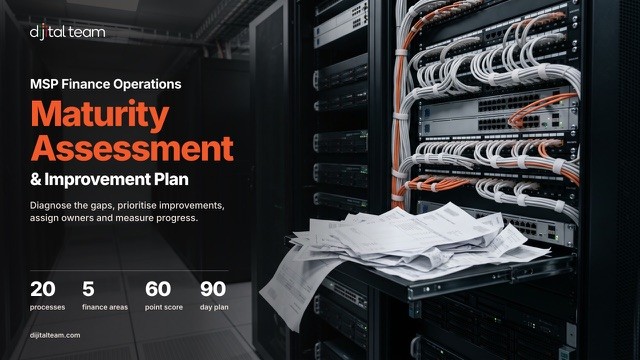
Free assessment
How mature are the finance processes behind your automation?
Score 20 finance processes across five areas, from billing and supplier costs to controls and automation, then turn the gaps into a prioritised 90-day improvement plan.
- 20processes
- 5finance areas
- 60point score
- 90day plan
Frequently asked questions
Much of the data collection, matching and discrepancy detection can be automated using Microsoft Graph, CSP or distributor data, PSA integrations and automation platforms. However, subscription changes and customer billing adjustments should generally remain subject to appropriate approval.
Power Automate is a strong option for Microsoft-centric workflows. Rewst is well suited to MSP-specific automation across multiple customers, while n8n offers flexible API integration and custom logic. The right choice depends on your existing systems and technical capabilities.
Yes. Power Automate can retrieve licence information through Microsoft Graph using appropriately configured connectors or HTTP-based integrations, subject to the required authentication, permissions and licensing.
Yes. Rewst provides documented Microsoft 365 licensing workflow components that support licence information retrieval, assignment and related automation. Full financial reconciliation may require integration with supplier and PSA billing information.
Yes, where the necessary API access is available. n8n can use authenticated HTTP requests and workflow logic to retrieve Microsoft Graph data, compare it with PSA records and generate reconciliation exceptions.
Unassigning a licence does not automatically remove the associated subscription commitment. Under Microsoft NCE, licence quantity reductions may be restricted to specific windows. Automated cancellation should not occur without validating the applicable terms and obtaining appropriate approval.
A Finance Administrator or Billing Specialist can own the reconciliation process and investigate financial discrepancies. Microsoft 365 Engineers should manage technical licensing changes, while Account Managers and finance leadership approve commercial adjustments.
Build a more profitable MSP with Dijital Team
At Dijital Team, we believe sustainable MSP growth requires more than simply adding customers or hiring additional people.
It requires improving the operational processes that drive profitability.
Automation Engineers
Through our dedicated offshore Automation Engineers, we help MSPs build the capability to automate repetitive processes, improve operational efficiency and unlock capacity within their existing teams.
Our Automation Engineers can support platforms such as Power Automate, Rewst and n8n, helping MSPs design workflows that connect operational systems and reduce manual administration.
Hire an offshore Automation EngineerFinance Administrators
Combined with our dedicated offshore Finance Administrators, MSPs can establish the processes and accountability required to improve billing accuracy, identify revenue leakage and maintain more reliable financial operations.
Hire an offshore Finance AdministratorBetter Business Pathway
And through our Better Business Pathway, we work alongside MSPs to strengthen margins, improve business maturity and create more predictable performance.
Explore the Better Business PathwayStop spending valuable technical and management time reconciling Microsoft 365 licensing manually.
Book a conversation with Dijital Team and discover how dedicated offshore Automation Engineers and Finance Administrators can help you build a more efficient, profitable and scalable MSP.
- Automation Engineers for Power Automate, Rewst and n8n
- Dedicated offshore Finance Administrators
- ISO 27001 certified
- Trusted by 120+ MSPs and ITSPs