
The short version
- Having integrated systems is not the same as having integrated processes. The problems happen between the PSA and the accounting platform.
- An automated integration can successfully transfer inaccurate information, so the end-to-end process matters more than the connection.
- Seven common problems: revenue leakage, mismatched invoices, delayed invoicing, misallocated costs, duplicate or missing transactions, poor profitability visibility and too much admin.
- Fix them with a single source of truth, consistent mappings, reconciliation every billing cycle and exception reviews throughout the month.
- A dedicated Finance Administrator can own the day-to-day workflow, with oversight from the Finance Manager.
Your PSA and accounting systems might be connected. But are your processes?
Most Managed Service Providers (MSPs) have invested significant time and money into their operational technology stack.
They use Professional Services Automation (PSA) platforms to manage tickets, contracts, projects, procurement and billing.
They use accounting platforms such as Xero or QuickBooks to manage financial transactions, cash flow and reporting.
And many have integrations connecting the two.
So why do so many MSPs still struggle with billing accuracy, revenue leakage, month-end reconciliation and understanding customer profitability?
Because having integrated systems is not the same as having integrated processes.
-
Unapproved time
A technician completes billable work, but the time isn't approved before invoices are generated.
-
Licence changes
A customer purchases additional Microsoft 365 licences, but the recurring agreement isn't updated.
-
Procurement costs
Hardware is ordered through procurement, but the associated costs aren't correctly allocated.
-
Failed sync
An invoice is generated in the PSA but fails to synchronise with the accounting system.
Individually, these issues might appear insignificant. Collectively, they can create significant financial and operational problems.
The challenge isn't necessarily your PSA or your accounting software.
Your PSATickets, contracts, projects, procurement and billing
Your accounting platformFinancial transactions, cash flow and reporting
For MSPs looking to improve margins, accelerate cash flow and build more scalable businesses, strengthening PSA-to-accounting processes should be a priority.
What is a PSA-to-accounting process?
A PSA-to-accounting process is the collection of workflows, controls and integrations that move financial information from an MSP's operational systems into its accounting and reporting environment.
PSA
Your PSA typically manages operational and commercial activities, including:
- Customer agreements and recurring services
- Service desk tickets and billable labour
- Projects, milestones and variations
- Product procurement and expenses
- Customer pricing and invoice preparation
- Service delivery and agreement profitability data
The PSA captures what your MSP sells and delivers.
Accounting platform
Your accounting platform typically manages:
- Financial transaction records and the general ledger
- Accounts receivable and accounts payable
- Bank reconciliations and payment records
- Financial statements
- Tax and accounting records
- Cash flow and financial reporting
The accounting platform records the financial outcomes.
The PSA-to-accounting process ensures the financial value created through service delivery is accurately captured, invoiced, recorded and collected.
When that process is poorly managed, the connection between operations and profitability begins to break down.
Why this matters more for MSPs than traditional businesses
MSPs have relatively complex billing models.
A typical customer might receive one monthly invoice containing multiple revenue streams, each with different pricing rules and costs.
These could include managed services, Microsoft 365 subscriptions, cybersecurity, backup services, project work, hardware procurement and additional billable support.
Monthly invoiceOne customer
- Managed services
- Microsoft 365 subscriptions
- Cybersecurity
- Backup services
- Project work
- Hardware procurement
- Additional billable support
The underlying quantities are constantly changing.
- New employees are onboarded.
- Devices are deployed.
- Subscriptions are upgraded.
- Projects expand.
- Suppliers adjust pricing.
Every change potentially affects what the MSP should be charging or how much it costs to deliver the service.
This creates several opportunities for information to become disconnected.
For example, a customer may have 85 users recorded in Microsoft 365, 80 users in the PSA billing agreement and an invoice in Xero for 75 users.
Microsoft 365
85 users
PSA billing agreement
80 users
Invoice in Xero
75 users
All three systems might be working correctly from a technical perspective.
But commercially, something is wrong.
An automated integration can successfully transfer inaccurate information.
That's why improving the end-to-end process is more important than simply connecting the systems.
Step by step: How to Reconcile Microsoft 365 Licensing for your MSP customers.
The seven biggest problems caused by poor PSA-to-accounting processes
- 1.Revenue leakage from unbilled services
- 2.Invoices that don't match customer agreements
- 3.Delayed invoicing and poor cash flow
- 4.Incorrect allocation of costs
- 5.Duplicate or missing financial transactions
- 6.Poor visibility into customer profitability
- 7.Too much finance administration
01
Revenue leakage from unbilled services
Revenue leakage occurs when an MSP fails to capture revenue it is contractually entitled to earn.
One of the most common causes is a disconnect between operational changes and customer billing.
For example, a service desk engineer provisions additional Microsoft 365 licences, but nobody updates the recurring agreement in the PSA.
The MSP incurs the additional supplier cost while continuing to invoice the previous quantity.
Consider an MSP with 100 customers.
If each customer has an average of just two unbilled services or licences worth $30 per month, the potential missed revenue is significant.
MSP revenue leakage calculator
Estimate the potential impact of recurring charges that aren't being invoiced.
Enter a number of customers between 0 and 5,000.
Enter between 0 and 50 missed charges.
$
Enter an amount between $0 and $5,000.
Common sources of missed charges
- Licences added without updating the recurring agreement
- Billable time that isn't approved before invoices are generated
- New users, devices or upgraded subscriptions not reflected in billing
Monthly revenue leakage$6,000
Annualised revenue leakage$72,000
Cumulative missed revenue if nothing is fixed for 12 months
100 customers with 2 missed charges each at $30 a month: $6,000 a month, or $72,000 a year if nothing is fixed for 12 months.
Illustrative opportunity, not an industry benchmark. Assumes all missed charges are contractually billable and remain unresolved for 12 months. Revenue recovery is not equivalent to net profit.
This is revenue the MSP may already be delivering services to earn.
It doesn't necessarily require more customers, more sales activity or additional technical resources.
It requires better commercial processes and billing controls.
02
Invoices that don't match customer agreements
A common challenge occurs when customer agreements, PSA records and accounting invoices become inconsistent.
A customer might have a negotiated price, minimum user commitment or special billing arrangement that isn't correctly reflected in the system.
The PSA may generate an invoice using outdated pricing.
Or someone may manually modify the invoice in the accounting platform without updating the underlying PSA agreement.
The next month, the same discrepancy occurs again.
The solution: Establish clear ownership of agreement pricing and define which system controls billing information.
For most MSPs, customer agreements and recurring billing rules should be maintained in the PSA, while the accounting platform records approved invoices and payments.
Exceptions should be corrected at their source, rather than repeatedly applying manual workarounds.
03
Delayed invoicing and poor cash flow
If your finance team spends several days each month waiting for completed timesheets, project approvals and billing corrections, invoices are likely to be delayed.
Delayed invoicing can lead to delayed payment.
Even profitable MSPs can experience cash flow pressure if there is a significant gap between delivering services, issuing invoices and collecting revenue.
Consider an MSP invoicing $400,000 per month.
If process inefficiencies effectively delay an entire monthly billing run by seven days, that creates a meaningful timing gap in cash receipts, even if customers eventually pay in full.
Billing run on time
Billing run delayed by seven days
- Services delivered
- Invoices issued
- Cash collected
- The timing gap
The solution: Create a consistent monthly billing calendar with operational deadlines and clearly assigned responsibilities.
Time entries, project charges, procurement transactions and recurring billing adjustments should be validated before invoices are approved.
As ConnectWise notes in its October 2026 guidance, billing delays frequently begin with incomplete operational records and disconnected workflows, well before an invoice is sent.
04
Incorrect allocation of costs
Accurate invoices are only one part of the equation.
MSPs also need accurate cost allocation to understand profitability.
Consider a customer purchasing new network infrastructure.
The sales order is recorded in the PSA, the hardware is ordered, and the supplier invoice is paid.
But the associated costs are recorded under a general expense account rather than against the relevant customer or project.
Recorded under a general expense account
- The cost sits outside the customer or project
- Overall financial statements can still look accurate
- Project profitability reporting is wrong
Recorded against the customer or project
- Customer, project, agreement and accounting classification identified
- The integration preserves that detail
- Project profitability reporting you can rely on
The business may have accurate overall financial statements, but its project profitability reporting is wrong.
The same issue can occur with software subscriptions, contractor expenses, hardware purchases and other direct service delivery costs.
The solution: Ensure procurement and expense workflows identify the relevant customer, project, agreement and accounting classification.
The integration should transfer financial information in a way that preserves the detail required for reliable reporting.
05
Duplicate or missing financial transactions
Poorly configured integrations and manual processes can create duplicate or missing records.
For example, an invoice might be manually entered into Xero after an automated synchronisation fails.
When the integration is restored, the original invoice is transferred, creating a duplicate.
- Sync failsThe automated synchronisation stops
- Manual entrySomeone keys the invoice into Xero
- Sync restoredThe original invoice transfers too
- DuplicateTwo copies of the same invoice
Alternatively, an invoice might be marked as processed in the PSA but never successfully appear in the accounting platform.
Without exception monitoring, the discrepancy could remain undetected.
The solution: Implement controls that reconcile invoice numbers, amounts, customer records and synchronisation status.
Use stable transaction identifiers, monitor failed transfers and make retry processes safe from duplication.
06
Poor visibility into customer profitability
One of the most significant consequences of disconnected operational and financial data is unreliable customer profitability reporting.
Your PSA may show the time engineers spend supporting each customer.
Your accounting system may show the overall cost of labour, software and other expenses.
But without properly connecting those records, you may struggle to determine which customers generate healthy margins.
This can lead to decisions based primarily on revenue rather than profitability.
A customer generating $15,000 in monthly recurring revenue might appear more valuable than one generating $8,000.
However, if the first consumes $13,000 in direct costs while the second consumes only $4,000, the second customer produces twice the gross profit.
Ranked by monthly recurring revenue
Customer A$15,000 MRR, $13,000 direct costs
Customer B$8,000 MRR, $4,000 direct costs
- Direct costs
- Gross profit
The solution: Establish consistent cost classifications and customer-level reporting that connects revenue, labour, subscriptions and other directly attributable costs.
Benchmark it: What Is a Good Gross Margin for an MSP?
07
Too much finance administration
Many MSPs rely on experienced Finance Managers, Service Delivery Managers or even business owners to reconcile information between systems.
These are often highly paid resources performing routine administrative activities.
Consider the time spent exporting spreadsheets, validating recurring billing, resolving synchronisation errors, checking supplier invoices and correcting customer records.
Who often ends up doing it
- Finance Managers
- Service Delivery Managers
- Business owners
Routine work that fills their week
- Exporting spreadsheets
- Validating recurring billing
- Resolving synchronisation errors
- Checking supplier invoices
- Correcting customer records
These activities may be necessary, but they don't all require senior financial expertise.
The solution: Standardise repetitive workflows, automate reliable data transfers and assign routine reconciliations to a dedicated Finance Administrator or Billing Specialist.
This frees senior staff to focus on financial analysis, profitability and operational improvement.
What good PSA-to-accounting processes look like
The objective should be to create an end-to-end process where information flows accurately from service delivery through to financial reporting.
An integrated MSP financial workflow
-
1. Capture service deliveryTickets, time, contracts, licences, procurement and projects
-
2. Validate billing informationCheck quantities, rates, approvals and chargeable activities
-
3. Approve invoices in the PSAFinalise customer charges and record invoice identifiers
-
4. Synchronise with accountingTransfer approved invoices and related financial records
-
5. Reconcile and monitor exceptionsVerify totals, tax codes, customer mappings and failed transfers
-
6. Collect and record paymentsManage receivables and reconcile receipts
-
7. Report financial performanceReview margins, cash flow, exceptions and customer profitability
A well-designed process should provide three important outcomes: accuracy, accountability and visibility.
-
Accuracy ensures customers are billed correctly and transactions are recorded properly.
-
Accountability ensures there is a clear owner responsible for each stage of the process.
-
Visibility ensures management can understand where revenue is being lost, where costs are increasing and which processes require improvement.
Eight best practices for improving PSA-to-accounting processes
- 1.Define a single source of truth for each type of data
- 2.Standardise your chart of accounts and product mappings
- 3.Reconcile PSA invoices against accounting records
- 4.Build billing validation into the process
- 5.Automate repeatable tasks, not commercial decisions
- 6.Assign clear ownership across departments
- 7.Review exceptions throughout the month
- 8.Connect financial reporting to service delivery performance
01
Define a single source of truth for each type of data
One of the most common mistakes MSPs make is allowing multiple systems to independently manage the same information.
For example, customer billing rates might be updated in the PSA and then manually adjusted in the accounting platform.
Without a clear source of truth, discrepancies become inevitable.
Establish which system owns each type of information.
Highlight
| Information | Recommended source of truth |
|---|---|
| Customer agreements and service inclusions | PSA |
| Recurring billing quantities | PSA, validated against operational and supplier data |
| Billable labour and project activities | PSA |
| Supplier purchasing and commitments | Procurement system / supplier records |
| Approved customer invoices | PSA, with accounting sync |
| General ledger and financial statements | Accounting platform |
| Payment receipts and bank reconciliations | Accounting platform |
| Customer-level profitability | Validated PSA and accounting data |
These are recommended responsibilities, not universal technical rules. The precise configuration depends on your systems and integration.
The important principle is that every field has a defined owner and changes follow an agreed workflow.
02
Standardise your chart of accounts and product mappings
If everything is recorded under a single revenue account called IT Services, understanding business profitability becomes extremely difficult.
MSPs should structure their accounting classifications to support meaningful reporting.
For example, revenue and direct costs might be grouped into managed services, cloud licensing, cybersecurity, projects, hardware and other professional services.
IT Services
Grouped for meaningful reporting
- Managed services
- Cloud licensing
- Cybersecurity
- Projects
- Hardware
- Other professional services
Each relevant PSA product or service category should map consistently to the correct accounting codes.
This allows management to understand which parts of the business generate the strongest margins.
It also helps ensure the correct tax treatment and financial classification are applied.
Work with your accountant or financial controller to design mappings appropriate to your reporting requirements.
03
Reconcile PSA invoices against accounting records
An integration completing without an error doesn't guarantee everything has been recorded correctly.
Every billing cycle should include a reconciliation between invoices approved in the PSA and invoices recorded in the accounting platform.
Check invoice counts, invoice numbers, customer accounts, invoice values, tax amounts and credit notes.
Approved in the PSARecorded in accounting
- Invoice countsMatched
- Invoice numbersMatched
- Customer accountsMatched
- Invoice valuesMatched
- Tax amountsMatched
- Credit notesException to investigate
Any missing or duplicated records should generate an exception for investigation.
The reconciliation should account for timing differences, billing adjustments and legitimate exceptions.
Best practice: Aim for all approved invoices to be accounted for, either as successfully transferred or as documented exceptions awaiting resolution.
04
Build billing validation into the process
Don't wait until invoices reach the accounting system to identify errors.
Before invoices are approved, validate:
- Recurring contract quantities
- Microsoft 365 and other subscription charges
- Billable time entries
- Approved project milestones
- Procurement transactions
- Customer-specific discounts
- Pricing changes and contract exceptions
This prevents incorrect charges from being transferred downstream.
It also reduces the need for credit notes, corrections and customer disputes.
Related: MSP Billing Best Practices
05
Automate repeatable tasks, not commercial decisions
Automation is particularly useful for transferring records, matching transactions, identifying discrepancies and notifying responsible staff.
However, not every decision should be automated.
Changes to customer pricing, retrospective charges, supplier payments and material credits may require human approval.
Automate
- Transferring records
- Matching transactions
- Identifying discrepancies
- Notifying responsible staff
Keep human approval
- Changes to customer pricing
- Retrospective charges
- Supplier payments
- Material credits
The most effective processes automate predictable activities while preserving oversight for exceptions.
Where to start: 20 MSP Automation Ideas that deliver ROI.
06
Assign clear ownership across departments
PSA-to-accounting processes often fail because responsibilities fall between departments.
- Sales owns the agreement.
- Service Delivery owns the work.
- Procurement owns supplier transactions.
- Finance owns invoicing and accounting.
But somebody needs to own the overall process.
For many MSPs, a Finance Administrator can coordinate the day-to-day workflow, with oversight from the Finance Manager.
4 of 8 activities involve the Finance Admin
| Activity | Suggested owner |
|---|---|
| Recurring agreement updates | Account Manager / Finance Admin |
| Timesheet completeness | Service Delivery Manager |
| Product and procurement reconciliation | Procurement / Finance Admin |
| Invoice preparation | Finance Admin |
| Invoice approval | Authorised Finance Manager |
| Accounting synchronisation monitoring | Finance Admin |
| General ledger and bank reconciliation | Bookkeeper / Accountant |
| Customer profitability analysis | Finance Manager / Leadership |
07
Review exceptions throughout the month
Many MSPs treat reconciliation as something that happens during month-end.
The problem is that errors often originate weeks earlier.
A licence might be added on the second day of the month, but nobody checks whether the billing agreement has been updated until the next invoice run.
Month-end review onlyThe error waits for the next invoice run
Exceptions reviewed throughout the monthCaught at the first weekly check
Introduce exception monitoring throughout the month.
Where possible, use automated alerts to identify missing billing information, failed integrations, unassigned costs and overdue approvals.
This reduces pressure on the finance team and makes month-end more predictable.
08
Connect financial reporting to service delivery performance
The real value of better PSA-to-accounting processes extends beyond administrative efficiency.
It creates the foundation for understanding the commercial performance of your MSP.
When operational and financial records are aligned, you can make better decisions about customer pricing, engineer utilisation, service delivery costs and recurring revenue.
You can also identify where standardisation, automation or changes to staffing could improve margins.
This is where improved processes start to become a competitive advantage.
ConnectWise, HaloPSA, Xero and QuickBooks: is integration enough?
Most leading MSP platforms support accounting integrations, either natively or through third-party applications.
ConnectWise PSA
For example, ConnectWise PSA has integrations such as Wise-Sync for synchronising invoices, procurement records, expenses and payments with Xero or QuickBooks Online.
- Invoices
- Procurement records
- Expenses
- Payments
HaloPSA
HaloPSA also supports accounting workflows, including invoice and payment synchronisation with Xero and supported QuickBooks configurations.
- Invoices
- Payments
However, integration features and supported transaction types differ.
An MSP should understand exactly what its integration handles rather than assuming all operational and financial information synchronises automatically.
A useful starting point is to assess five questions:
- Do approved PSA invoices consistently appear in accounting?
- Do customer payments and invoice statuses synchronise correctly?
- Are purchase orders, supplier costs and credit notes handled appropriately?
- Are products, tax codes and revenue accounts mapped correctly?
- Are failed or incomplete synchronisations automatically identified?
If the answer to any of these is unclear, there may be an opportunity to strengthen the process. You can answer them in the integration check at the top of this page.
Remember, an integration moves data. A process ensures that data is accurate, complete and commercially meaningful.
Five KPIs every MSP should track
Improving PSA-to-accounting processes should result in measurable business outcomes.
The following KPIs provide a practical starting point.
| KPI | What it measures | Why it matters |
|---|---|---|
| Invoice reconciliation accuracy | Percentage of approved PSA invoices correctly accounted for in the ledger | Identifies missing or incorrect transactions |
| Billing cycle time | Time required to complete monthly invoicing | Measures operational efficiency |
| Unbilled revenue | Value of approved chargeable work not invoiced | Identifies revenue leakage |
| Days Sales Outstanding (DSO) | Average time taken to collect credit sales | Measures collections performance |
| Customer gross margin | Gross profit as a percentage of customer revenue | Measures commercial sustainability |
A mature MSP should be able to track these metrics consistently and investigate deterioration.
The objective isn't to generate more reports.
It's to create a financial management rhythm where the right information leads to better decisions.
How to improve your PSA-to-accounting processes in 30 days
You don't need to replace your PSA or accounting platform to start improving financial operations.
A focused 30-day review can reveal where the biggest gaps exist.
30-day PSA-to-accounting improvement checklist
Tick each action as you complete it. Nothing you tick is stored or sent anywhere.
0of 12 completed
Progress
Week 1: Audit
Week 2: Reconcile
Week 3: Improve
Week 4: Measure
By the end of the month, you should have a clearer understanding of your financial workflows, the discrepancies affecting your business and the opportunities to improve efficiency.
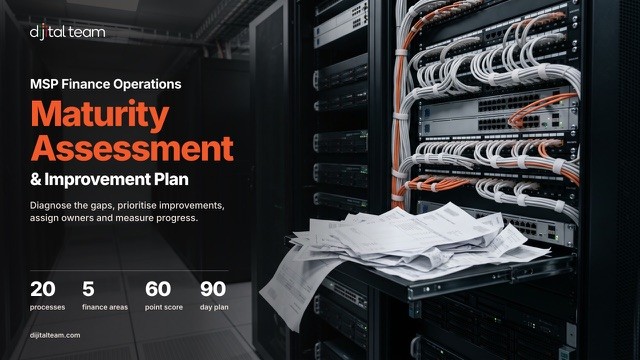
Free assessment
How mature are your MSP's financial operations?
Go beyond the 30-day review. Score 20 finance processes across billing, procurement, cash flow, reporting, controls and automation, then turn the gaps into a prioritised 90-day improvement plan.
- 20processes
- 5finance areas
- 60point score
- 90day plan
The role of a Finance Administrator in PSA-to-accounting processes
As an MSP grows, maintaining accurate financial processes requires consistent attention.
Unfortunately, these responsibilities often end up with already busy Service Delivery Managers, Finance Managers or business owners.
That's rarely the most efficient use of their time.
A dedicated Finance Administrator can provide the operational capacity required to keep the process running smoothly.
Typical responsibilities include monitoring billing agreements, preparing invoices, reconciling procurement transactions, investigating synchronisation errors, managing accounts receivable and maintaining operational finance reports.
- Monitoring billing agreements
- Preparing invoices
- Reconciling procurement transactions
- Investigating synchronisation errors
- Managing accounts receivable
- Maintaining operational finance reports
The Finance Administrator can also coordinate with engineers, Account Managers and finance leadership to resolve discrepancies.
This creates clear ownership without requiring expensive senior resources to perform routine administrative work.
For MSPs looking to improve operational efficiency, a dedicated offshore Finance Administrator can be a commercially attractive option.
The key is finding someone who understands financial administration, can learn MSP-specific systems and works within clearly defined processes and appropriate controls.
Dedicated offshore Finance Administrators
Recurring billing reconciliation, invoice preparation, procurement administration, accounts receivable and operational financial reporting, run inside your processes and controls.
Hire an Offshore Finance Administrator →Finance Admin or bookkeeper?
Which role does your business really need?
Finance Admin vs Bookkeeper for an MSP →Automation Engineers
Automate the repeatable transfers and validations so your finance team works on the exceptions.
Automation Engineer role →Better MSP PSA-to-accounting processes are a business maturity opportunity
It's easy to think of PSA-to-accounting integration as an IT project.
After all, the work involves connecting systems, configuring workflows and synchronising information.
But the real opportunity is much bigger.
Better processes can improve revenue capture, reduce administrative costs, accelerate billing, strengthen cash flow and create more reliable profitability reporting.
- Revenue capture
- Administrative costs
- Billing speed
- Cash flow
- Reliable profitability reporting
They also enable an MSP to grow without requiring its finance team to expand at the same rate as revenue or customer numbers.
Think about an MSP that doubles its customer base.
A business that grows
If every new customer creates more manual billing work, more spreadsheets and more reconciliation effort, the business becomes increasingly difficult to manage.
A business that matures as it grows
But if agreements are standardised, operational data is accurate, financial workflows are automated and exceptions are managed proactively, the business becomes more scalable.
That's the difference between a business that grows and a business that becomes more mature as it grows.
The goal isn't simply better integration between your PSA and accounting platform.
It's building a business where financial information flows reliably from service delivery through to management reporting, and where the numbers provide an accurate picture of profitability.
Because the more accurately you understand where your revenue comes from, what it costs to deliver and how effectively you collect it, the better equipped you are to make decisions that improve margins.
Go deeper: the Ultimate Guide to MSP Profitability
Frequently asked questions
PSA-to-accounting integration connects an MSP's Professional Services Automation platform with its accounting software. It enables information such as customer invoices, payments, procurement transactions and financial adjustments to move between systems, reducing manual data entry and improving reporting accuracy.
Reconciliation helps ensure invoices are accurately transferred, transactions aren't duplicated or missed, and financial records reflect the services delivered. It also helps identify billing errors, revenue leakage and discrepancies that may affect profitability.
Yes. ConnectWise PSA can integrate with Xero and QuickBooks through supported integration solutions. The available features depend on the connector and configuration, so MSPs should verify which invoice, payment, procurement and other financial records are synchronised.
Yes. HaloPSA supports integrations with accounting platforms, including Xero and supported QuickBooks products. These integrations can help synchronise invoice, customer and payment information, depending on the configuration.
Common causes include incorrect customer mappings, inconsistent product codes, missing tax configurations, failed synchronisation jobs, manually entered invoices, incomplete operational records and changes made independently in multiple systems.
A Finance Administrator or Billing Specialist can manage day-to-day reconciliation, invoice preparation and exception monitoring. Financial accounting, compliance and higher-level reporting should remain under the oversight of appropriately qualified finance professionals.
Yes. MSPs can automate data synchronisation, invoice matching, exception reporting and routine validation using native integrations or automation platforms. However, material financial adjustments and commercial decisions should remain subject to appropriate approvals.
Build a more profitable MSP with Dijital Team
At Dijital Team, we believe sustainable MSP growth requires more than simply winning new customers.
It requires stronger margins, predictable performance and the operational maturity to scale efficiently.
Through our Better Business Pathway, we work alongside MSPs to help identify opportunities to improve profitability, strengthen operational processes and build more scalable businesses.
Our dedicated offshore Finance Administrators can support your PSA-to-accounting processes by managing recurring billing reconciliation, invoice preparation, procurement administration, accounts receivable and operational financial reporting.
Combined with our offshore Automation Engineers, we can also help MSPs improve the efficiency of repetitive processes and reduce the administrative burden on internal teams.
The result is more capacity, greater financial visibility and more time for your leadership team to focus on growing and improving the business.
Your PSA and accounting platforms should do more than exchange data. They should help you build a more profitable MSP.
- Dedicated Finance Administrators
- Automation Engineers
- ISO 27001 certified
- Trusted by 120+ MSPs and ITSPs
Book a conversation with Dijital Team to discover how we can help strengthen your financial operations and improve business performance.
Book a conversation with Dijital Team →